
Your First Sequence: Timing Tracks Without the Tears
Posted by SFL Designs on Nov 14th 2026
Everything so far has been preparation. The layout is drawn. The bars test proved it honest. Last week the house learned to answer to group names. This morning the controller's ports stopped being mysterious. All of that was the runway. This afternoon, the models dance for the first time.
Here is your first sequence, built small on purpose.
What a sequence is
A sequence is one song, married to your layout. It is the file that says: at this moment in the music, this prop does this thing. Sequencing is the craft of filling in those moments.
You start by opening a new sequence in xLights and giving it the song it belongs to, the audio file your show will play. One song per sequence. The sequence borrows your layout (your models, your groups, your controller setup) and lays a timeline over it.
Timing tracks: the song's skeleton
Effects that land on the music look planned. Effects that land near the music look like a screensaver. The difference is timing tracks.
A timing track is a row of marks laid along the song saying "something happens here." You will build two kinds. The first marks the song's sections: intro, verse, chorus, the quiet part, the big finish. The second marks the beats, the pulse your effects can step to.
Work sections first. Listen to the song once through and just mark where it changes its mind. Section marks turn a three-minute song into five or six friendly chunks, and you will sequence chunk by chunk instead of staring down the whole timeline at once.
For beats, you have help. xLights can listen to the audio and suggest timing marks where the beats fall, and you can nudge what it suggests. Hand-tapping along while the song plays also works and teaches you the song in your bones. Most sequencers end up using some of both.
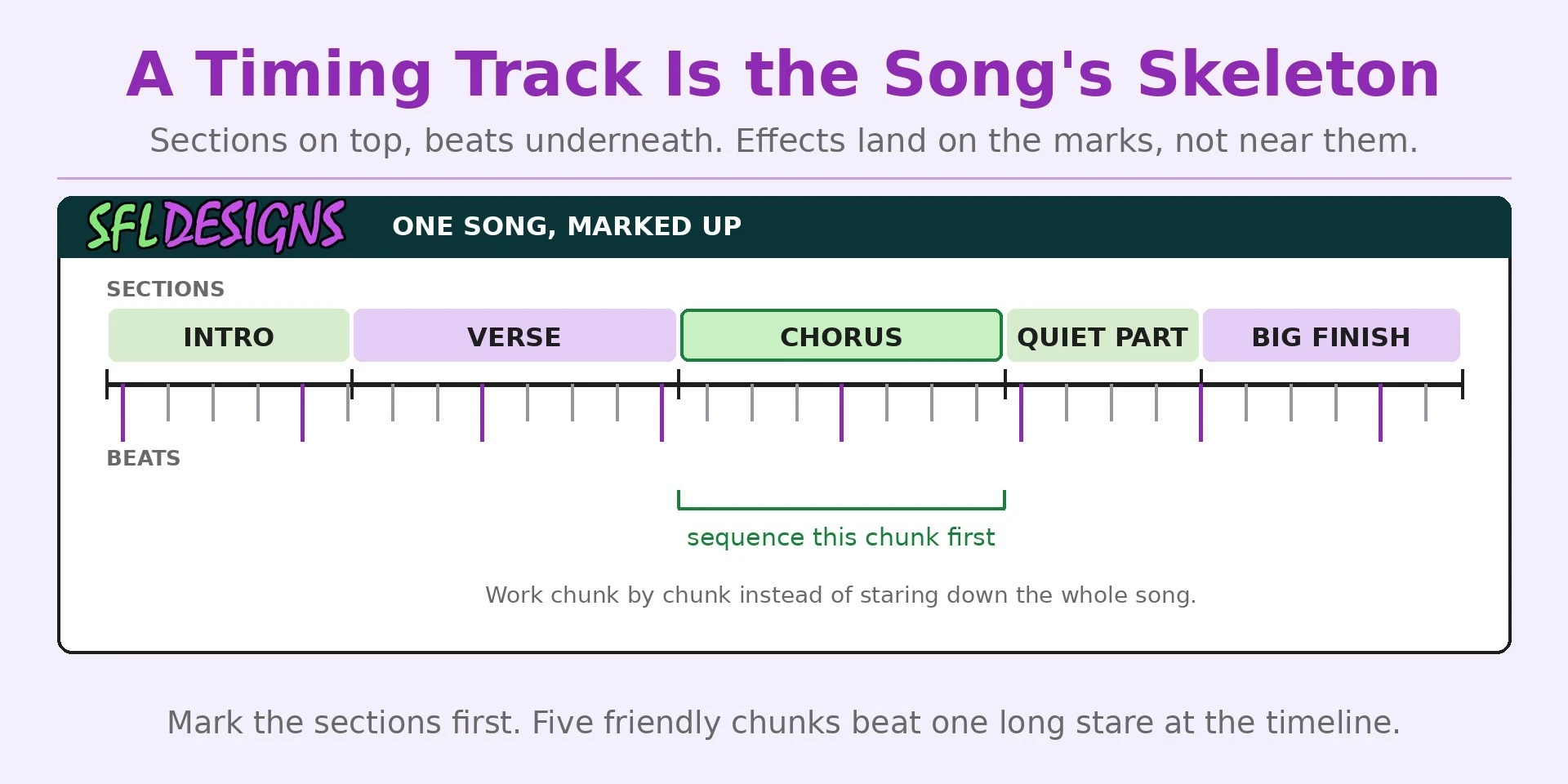
Shop note: Keep one timing track that holds only the song's sections, and never delete it or clutter it with beats. Every other track can be rebuilt in a fit of inspiration at 1 a.m. That section map is the song's skeleton, and the night you change your mind about every effect, the skeleton is what saves the rebuild.
The grid: rows are props, time runs sideways
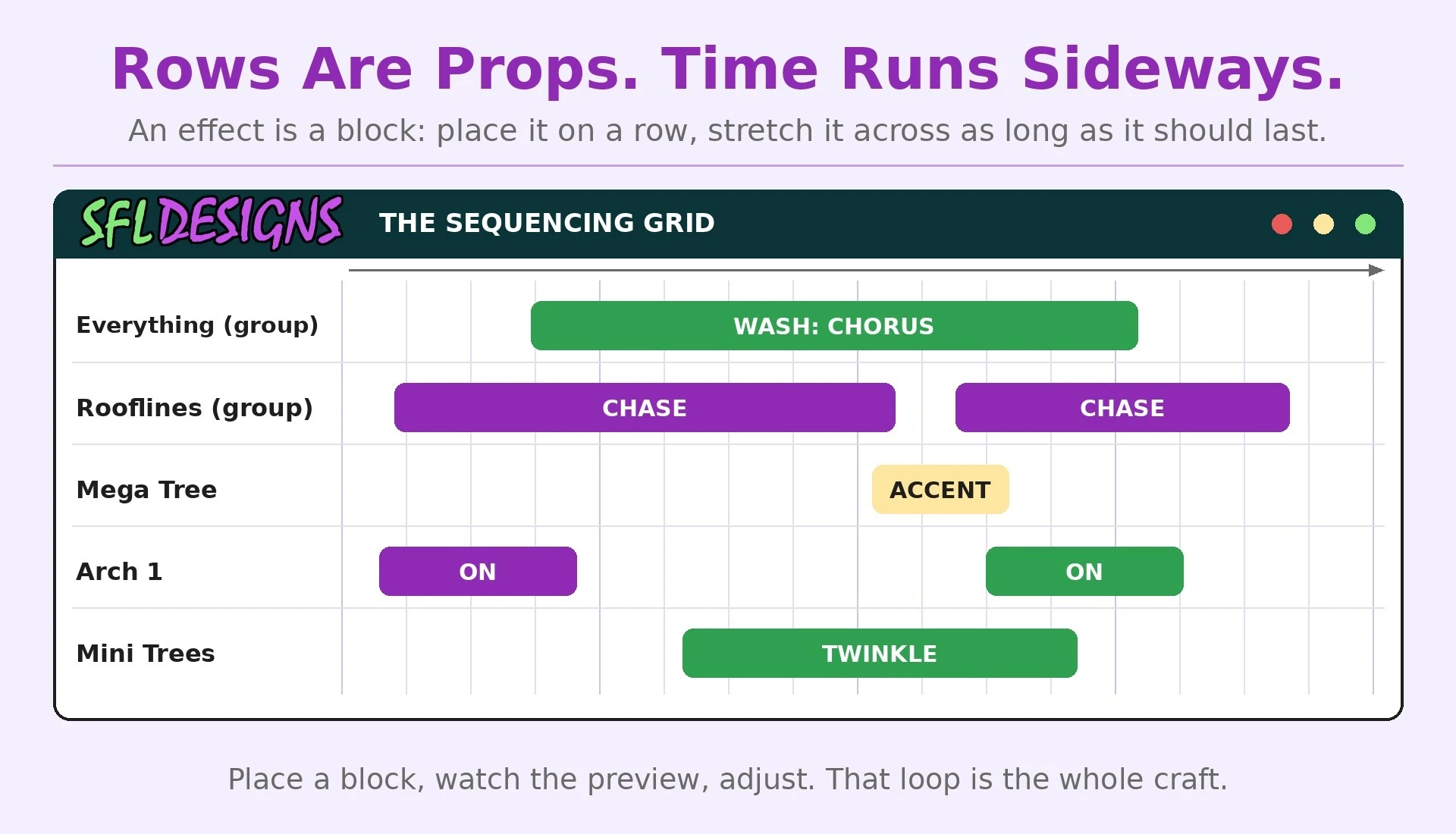
The sequencing screen is a grid, and once you can read the grid you can read any sequence. Down the side are your models and groups, one row each. Across the top is time, the song flowing left to right. An effect is a block: you place it on a row, starting where it should begin, stretched across however long it should last.
Your house preview sits nearby, the same drawing from October, and it performs what the grid says. Place a block, watch the preview, adjust. That loop (place, watch, adjust) is the whole craft. Everything else is vocabulary.
Notice groups paying rent already: your Everything group and your Rooflines group are rows on this grid, right alongside single props. The wash for the chorus goes on the group row, once. The accent goes on the one prop that sings the line.
Your first three effects
Resist the buffet. A first sequence needs three moves, learned well.
- The wash. A simple, steady on in a chosen color, placed on your whole-house group for the chorus. It teaches you placement, length, and how a group performs, and a chorus that glows while the verses move looks more professional than most beginners believe.
- The chase. An effect that appears to travel, placed on the rooflines for a verse, stepping along the timing marks so the motion rides the beat. Roof first, because rooflines read from the street.
- The accent. One prop, one moment: the tree answers the big note, the arch fires on the downbeat. One accent, placed with intent, teaches you more about timing than forty scattered effects.
Keep every effect long enough to register. Beginners sprinkle two-second effects everywhere and the show looks nervous. Let a color sit. Let a chase finish its trip. Shows breathe; yours should too.
Render, watch, save
When the grid looks right, xLights renders the sequence: it bakes your blocks into the actual show data your player will send to the controller. Watch the whole song through the preview before you call anything done, and watch it as an audience of one standing in the street, not as the person who placed every block. Where your eyes wander is where the next fix lives.
Save early, save often, and keep the song file with the sequence it belongs to. A sequence without its audio is a dance without music, and they get separated exactly once before you learn.
That is a first sequence: one song, timed in sections, three moves, watched all the way through. Finish small and finished beats epic and abandoned, every single time. Next Saturday morning we talk about getting the signal there: extensions, wire gauge, and how far data will travel. Next Saturday afternoon, we widen the toolbox: the six effects that do ninety percent of every show you have ever loved.
— Jason, SFL Designs
From our workbench to your display — print it, mount it, light it up.