
Wet Filament Has a Soundtrack
Posted by SFL Designs on Nov 3rd 2026

Your printer is not supposed to provide its own sound effects. If a print sounds like a tiny bowl of breakfast cereal (snap, crackle, pop coming right from the nozzle), you are not hearing a settings problem. You are hearing water boil.
Filament absorbs moisture from the air. Some materials sip it slowly; others, like nylon and TPU, drink it like they are training for something. When that damp plastic hits a nozzle heated well past the boiling point of water, the trapped moisture flashes to steam. Steam needs room, so it pushes its way out, and you hear it, see it, and wear the results on your print.
The symptoms look like other problems
This is why wet filament wastes so much shop time: it is a master of disguise.
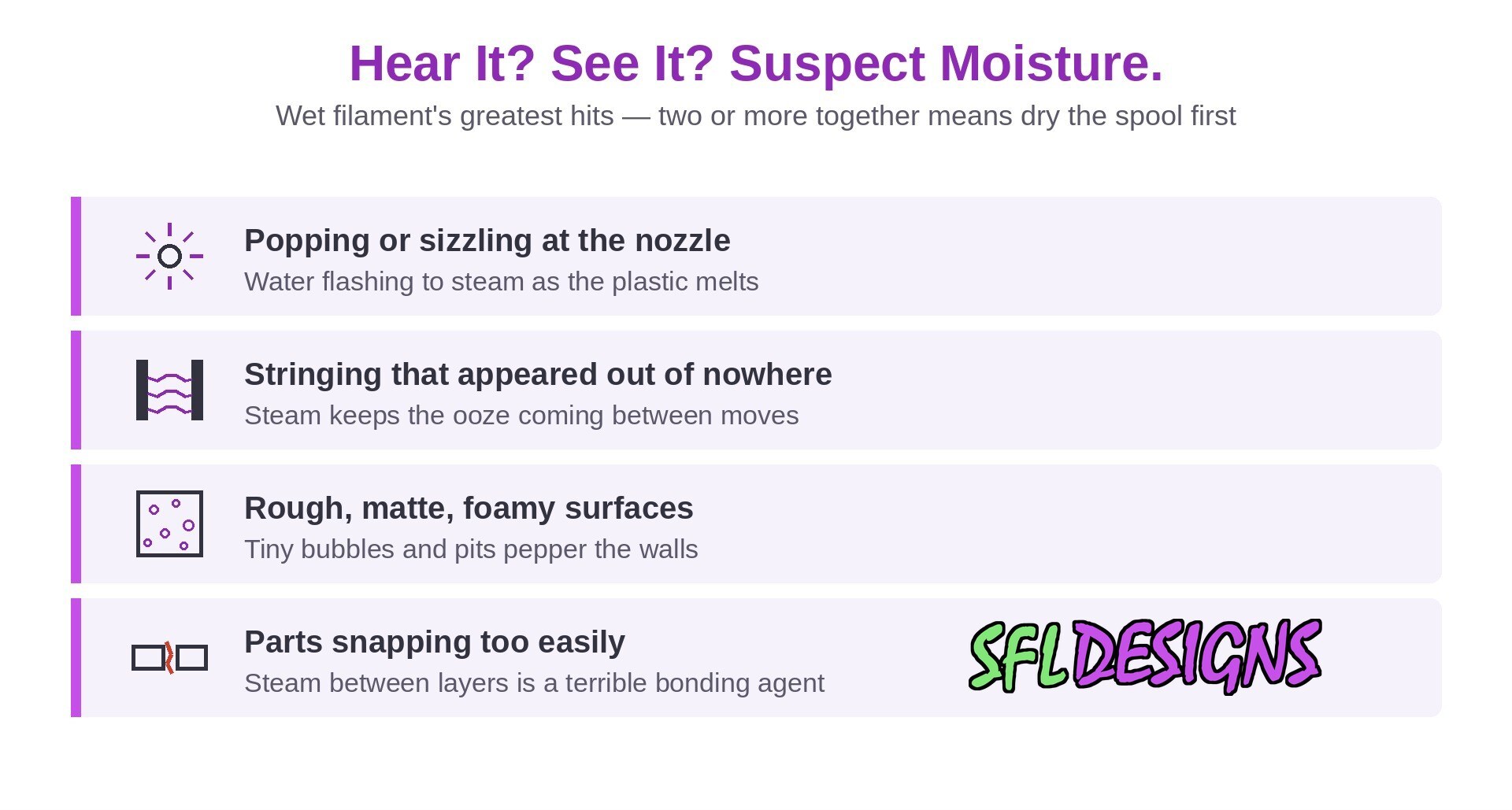
- Popping, sizzling, or crackling at the nozzle while extruding. This is the headline symptom: the soundtrack itself.
- Stringing everywhere, even on a profile that printed clean last week. Steam blows little bubbles through the melt, and the ooze never really stops.
- Rough, matte, or foamy surfaces instead of clean extrusion lines. On close inspection, tiny bubbles and pits pepper the walls.
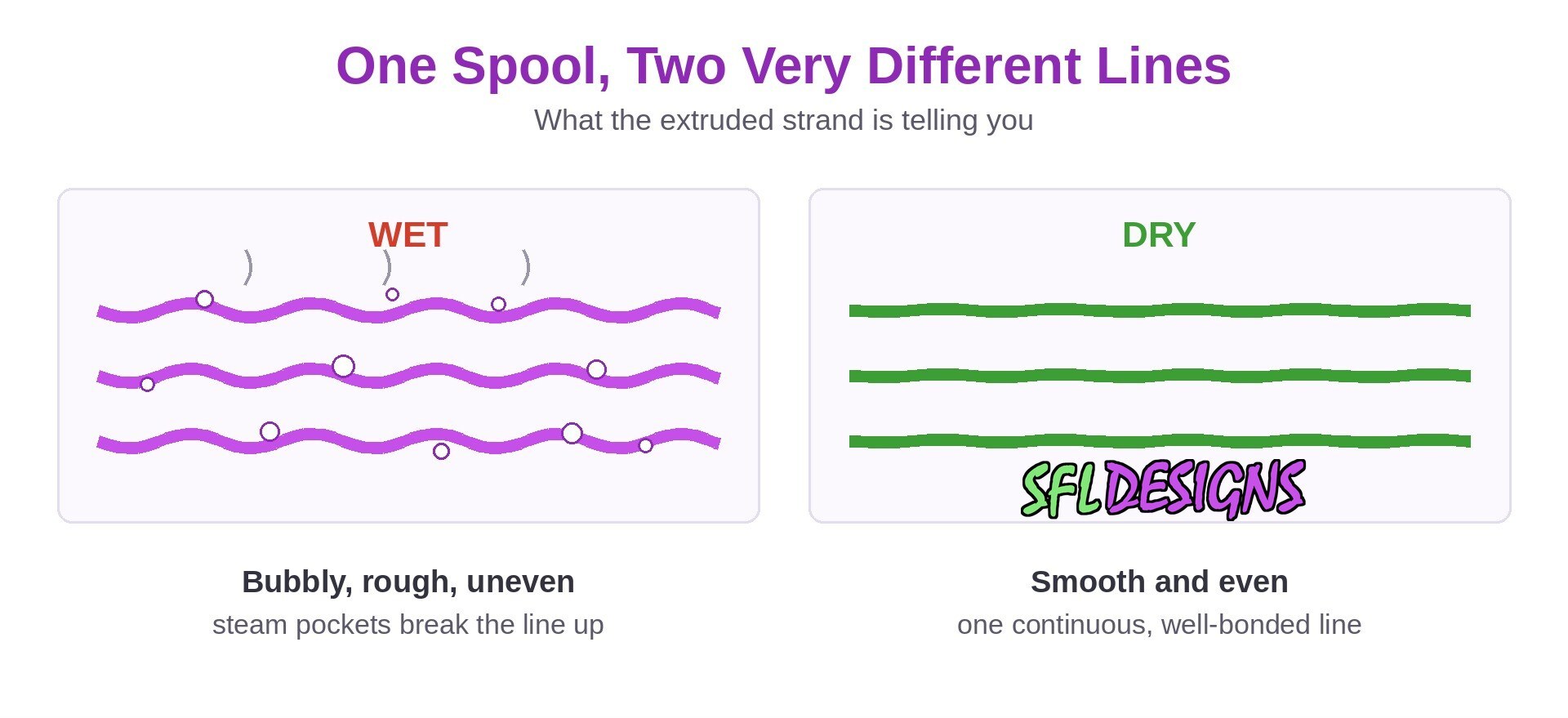
- Bubbles or a slight hissing as the line goes down, sometimes visible in the extruded strand itself.
- Weak, brittle parts that snap along layers far easier than they should. Steam between layers is a terrible bonding agent.
Every one of those also looks like a temperature problem, a retraction problem, or a flow problem. So people do the reasonable thing: they retune retraction, bump temperatures, recalibrate flow, and the print still sounds like cereal, because none of those settings can boil water out of plastic that is already wet. If several “unrelated” symptoms show up together and the spool has been sitting out, suspect moisture before you suspect your profile.
Different plastics, different thirst
Not all filament drinks at the same rate. PLA is comparatively forgiving. It absorbs moisture slowly, and mild dampness often shows up as brittleness and surface quality issues before anything dramatic. PETG is thirstier and loves to string when damp. ASA and ABS sit in the middle. Nylon and TPU are the sponges of the family; they can pick up a print-ruining amount of moisture in a day or two of open air.
Your local air matters too. A spool that survives a month on a shelf in a dry climate might need attention after a humid week somewhere else. “It was fine last time” is not data if the weather changed in between.
Drying it back out
Good news: absorbed moisture is not permanent damage in most cases. Heat and time drive it back out.
- A dedicated filament dryer (a heated box made for spools) is the straightforward option. Follow the temperature guidance for your material; too cool does nothing, and way too hot can soften a spool or bake the plastic.
- A dry box for storage (a sealed container with desiccant) keeps dried filament dry and slows down re-absorption. Note the job description: storage boxes maintain, they generally do not rescue a soaked spool.
- Desiccant has limits. Silica gel packets absorb moisture until they are saturated, then they quietly stop working while looking exactly the same. Rechargeable or color-indicating desiccant tells you when it needs drying out itself.
- Oven and dehydrator methods exist, but temperature control is the whole game: an oven that overshoots can ruin a spool or worse. A dryer built for the job removes the guesswork.
Shop note: Dry first, tune second. Every setting you change to compensate for wet filament becomes a wrong setting the day you load a dry spool.
The honest test: dry it and print the same file
Do not guess. Take the spool you suspect, dry it properly, and print the same file with the same profile you used for the ugly print. If the popping stops, the strings shrink, and the surface cleans up, you have your answer, and it cost you zero setting changes. If nothing improves, the filament was innocent and you can chase temperatures and retraction with a clear conscience.
A quicker spot check: extrude a little filament into the air with the nozzle hot. A dry strand comes out smooth and steady. A wet one often comes out textured, bubbly, or audibly crackling as it leaves the nozzle.
Habits that keep it dry
- Store spools sealed with desiccant, especially the thirsty materials.
- Keep your most-used spools in a dry box and print straight from it if you can.
- Do not leave nylon or TPU sitting on the machine between prints.
- Dry a spool that has been out a while before the important print, not after the failed one.
Wet filament is one of the cheapest problems in 3D printing to fix and one of the most expensive to misdiagnose. So next time the printer starts talking during a print, listen before you tune. Sometimes the soundtrack is the whole diagnosis.
— Jason, SFL Designs
From our workbench to your display — print it, mount it, light it up.