
The Whole Package: How a Light Show Actually Connects
Posted by SFL Designs on Oct 17th 2026
Welcome to Showtime Saturdays. Every Saturday we're building a light show in public. And we're starting where most beginners never get to start: with the whole map, before the deep-dives, before the shopping carts.
Because here's the scene I see every fall. Boxes start arriving. Pixels, a controller, a power supply, a tangle of extensions. Everything looks like it belongs together, and none of it comes with a picture of how. So let's draw the picture.
Meet the cast: five jobs, not fifty parts
A light show is a system, and the system has five jobs. Learn the jobs and every product page you ever read starts making sense.
- Pixels are the lights themselves, the individual bulbs (usually called nodes) that each can be told what color to be. Around here we run 12V pixels as the house standard. Our 5V friends run beautiful shows too. One of our favorite people in this hobby is such a committed 5V fan that we had a sticker made for the shop: "All my mounts are 5V and 12V compatible." (Mounts don't care about voltage, David. That's the joke, and you know it.)
- The controller is the brain. It listens to the show computer or player and translates "the arch turns blue at 0:42" into instructions each pixel understands. Genius, Kulp, Vivid, Baldrick, Falcon: the names differ, the job doesn't.
- The power supply is the muscle. It turns wall power into the steady low-voltage power pixels eat. Ours are genuine Mean Well supplies, full stop. A power supply is not the place to save twelve dollars.
- Extensions and wire are the roads, they carry power and data from the controller out to the yard.
- Props are the shapes the audience actually sees: the roofline, the arches, the mega tree, the snowflake on the garage. Props are where pixels live.
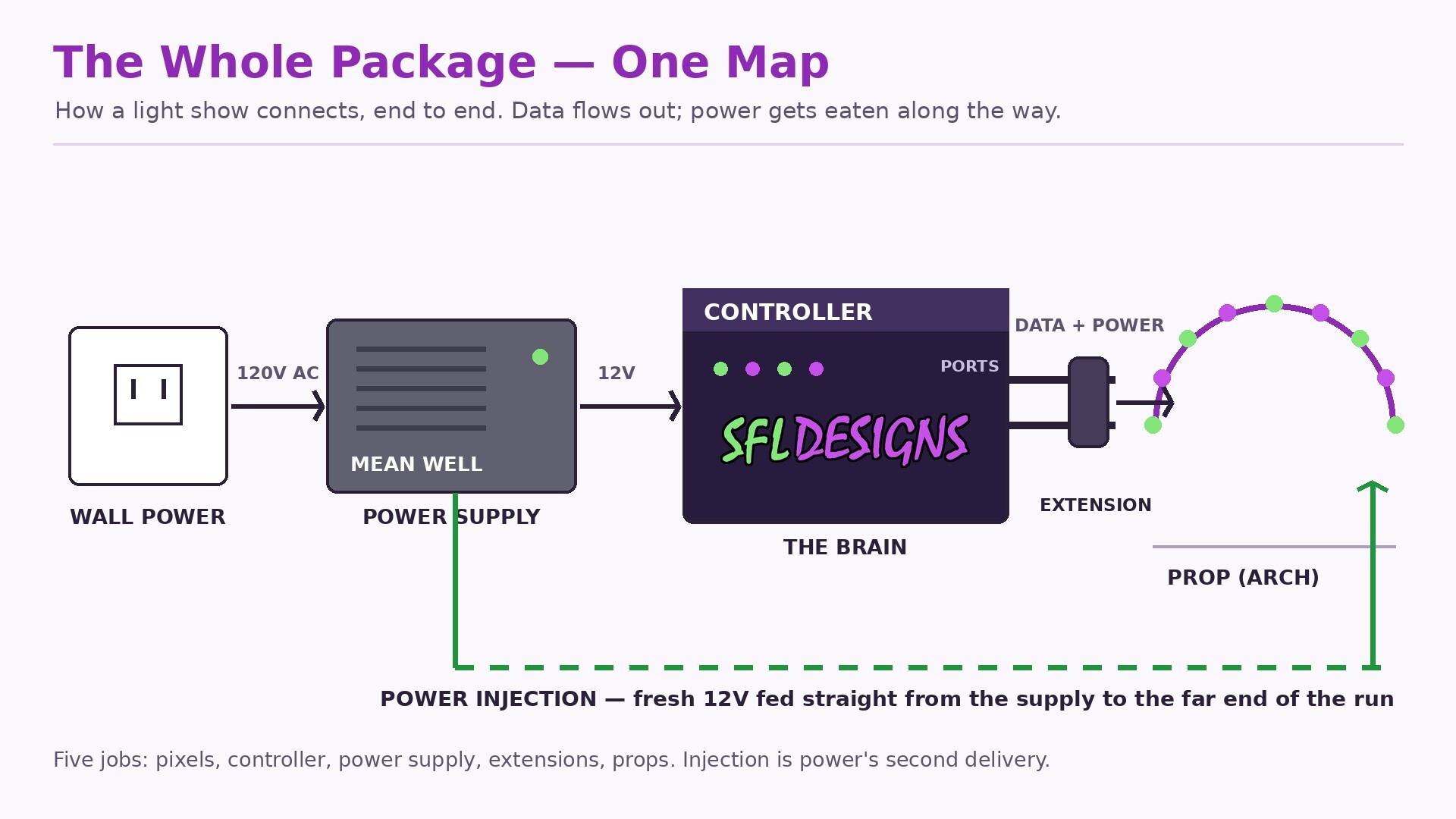
Two rivers run through everything
Every connection in your show carries two things, and keeping them separate in your head untangles almost every beginner confusion.
Data is the conversation: a one-way stream of instructions flowing out of the controller, pixel to pixel, telling each one its color. Data is picky about distance and clean connections, but it doesn't get "used up."
Power is the groceries. Every pixel eats a little electricity, and the supply has a budget. Unlike data, power absolutely runs out, and it fades with distance, which is the entire reason power injection exists. Injection is feeding a run at more than one point, tapped in through tees (connectors that splice into the run). The extra feed can be a branch off the same supply, or a second supply brought in partway down the run, and when a second supply joins, the negative sides of the supplies get tied together so they share a common ground. Its close cousin is power balancing, and balancing works on any pixel: tap the positive and negative wires at the start of the run and carry power straight to the far end on an extra wire, so the last pixels get fed directly instead of sipping whatever is left after traveling through every pixel in front of them. Balancing is physically wiring the prop to hold its voltage from the first pixel to the last. Seed pixels made it popular, since a seed run can stretch close to 500 lights, but any long run breathes easier with it. We'll give injection its own Saturday in November; for now, just know both belong on the map from day one.
Shop note: Draw your show before you buy your show. One page: every prop, roughly where it sits, how it connects back to the controller, and where power comes from. That ugly little sketch will save you more money than any sale, because the most expensive part in this hobby is the one you bought twice, and the second most expensive is the power supply you cooked in November by guessing.
One lap around a single run
Let's walk one simple run, end to end, the way electricity and data actually travel.
Wall power feeds the power supply. The supply feeds the controller and stands ready to feed the pixels. A port on the controller sends data out through an extension to the first pixel of a prop, say, an arch. The arch lights, pixel to pixel, each one passing the conversation along. But the arch is long, so at its far end an injection line brings fresh power straight from the supply, and the last pixels glow as bright as the first. Multiply that one honest run by a roofline, a tree, and a yard full of props, and you don't have chaos. You have a show.
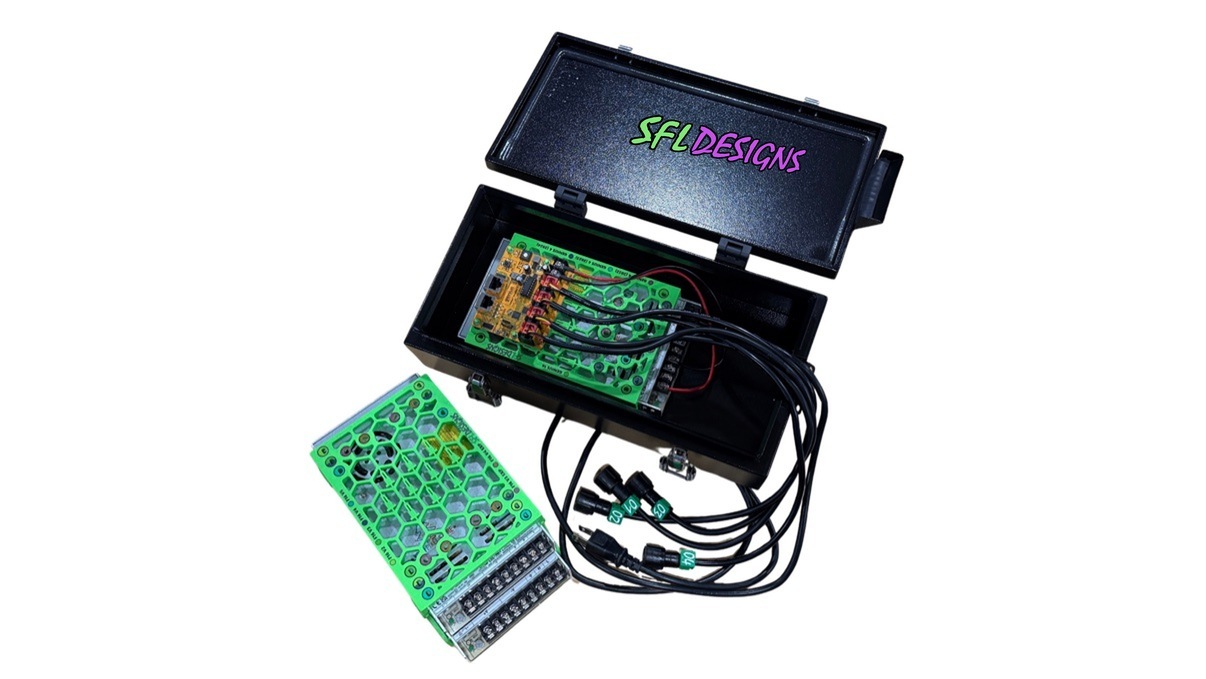
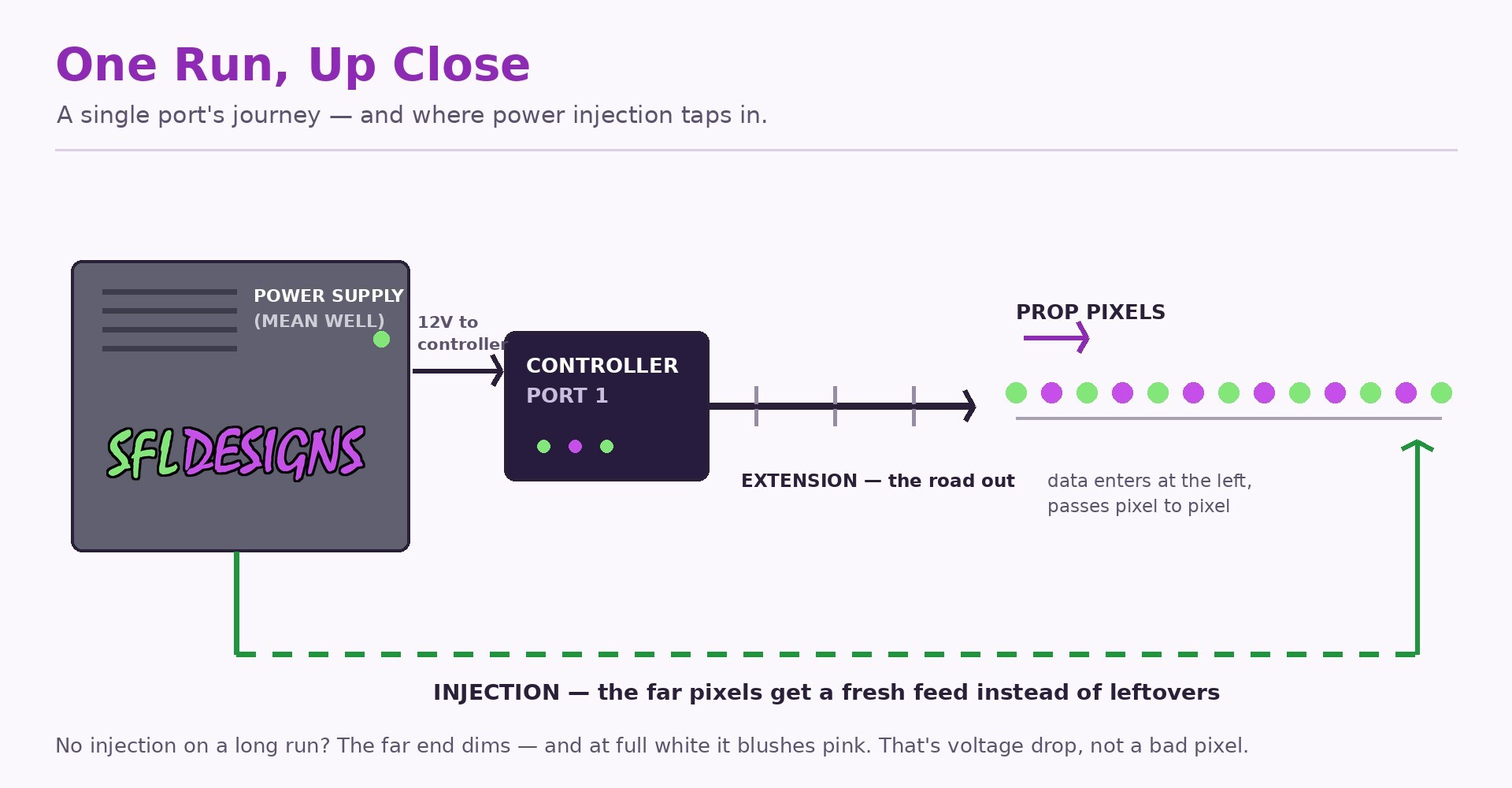
That's the whole package. Everything else in this series (sizing a supply, injecting a long run, teaching xLights to draw this same yard on a screen) is just one square of this map, zoomed in. This afternoon's post is the first zoom: we'll open xLights and turn this paper map into models on the Layout tab.
Sketch your map this week. Next Saturday morning, we pick pixels.
— Jason, SFL Designs
From our workbench to your display — print it, mount it, light it up.